
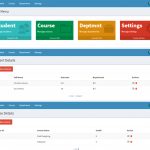
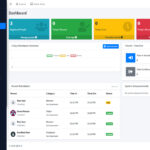
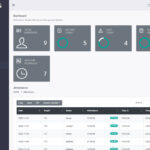
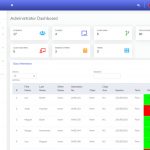
The Student Management System in Django is an advanced web-based student record management project built using Django, Django REST Framework, MySQL, Tailwind CSS, Chart.js, Django Channels and Scikit-learn. This project is designed for students, colleges, training institutes, academic departments and developers who need a complete student-centric management system without turning the application into a full school or college ERP. Its main purpose is to manage student profiles, academic records, attendance, documents, reports, analytics, notifications and AI-based student performance prediction from one organized platform. This version is useful because it goes beyond a basic CRUD system by including controlled department/course management, bulk attendance, subject-level assignments, real-time notifications, student risk analysis, report exports and a modern dashboard interface.
Quick Project Information
| Item | Details |
| Project name | Student Management System in Django |
| Project type | Web application |
| Programming language | Python 3.12 |
| Backend framework | Django 5.x |
| API | Django REST Framework |
| Database | MySQL-ready, SQLite supported for local testing |
| Frontend | Tailwind CSS, JavaScript |
| Charts | Chart.js |
| Realtime feature | Django Channels, WebSockets |
| AI/ML | Scikit-learn |
| Export Libraries | Pandas, OpenPyXL, ReportLab/PDF export support |
| User roles | Admin, Student |
| Main features | Student records, analytics, attendance, reports, and AI prediction |
| Last tested | 28 August 2026 |
| License/use | Educational use |
About the Student Management System in Django
The Student Management System in Django is built to solve a common academic management problem: student information is often scattered across spreadsheets, paper files, manual attendance sheets, separate document folders and disconnected academic records. This project brings those important student-related operations into one web application where the admin can manage student data and students can view their own progress. The system is intended for academic demonstrations, student projects, training centres and institutions that want a clean student-focused platform. It does not include unrelated ERP modules such as fee billing, transport, hostel, library or staff payroll. Instead, the project keeps its scope focused on student records, academic performance, attendance tracking, document management, notifications and reporting.
Unlike a simple CRUD student record system, this version includes practical features that make the project feel more complete. It has dashboard analytics, GPA and attendance summaries, searchable records, controlled department and course master data, subject-level assignments, bulk attendance marking, PDF/Excel/CSV report exports and AI-based student risk prediction. These additions make the project more useful for learners who want to understand how a real dashboard-based Django application is structured.
Student Management System in Django Source Code Project Demonstration
The following project demonstration shows the Student Management System in Django in actual use. This video explains how the project works from the admin and student side, including student registration, department and course setup, academic record management, subject results, GPA tracking, bulk attendance, subject-level assignment grading, document uploads, report exports, dashboard analytics and AI-based student performance prediction.
Watch the complete demonstration below before downloading the source code. It will help you understand the full workflow of the Django student management system, the available modules, the user roles and the main features included in this web-based student information system project.
Project Objectives
The main objective of this project is to provide a complete student-centric management platform using Django. It helps admins organize student information in a structured way while giving students a personal dashboard where they can view their academic progress, attendance status, uploaded documents, notifications and reports. Another important objective is to reduce repetitive manual work. Instead of entering attendance one student at a time, the system supports bulk attendance by subject and date. Instead of creating assignments separately for each student, the admin can create one assignment under a subject and then grade all eligible students from a single screen.
The project also aims to improve data quality. Departments and courses are managed from separate admin-controlled sections, so student records no longer depend on manually typed department or course names. This makes filtering, reporting and analytics more reliable. The analytics and prediction modules are also important objectives of the system. By using attendance, GPA, activity level and assignment performance, the system can generate a risk score and provide improvement suggestions. This makes the project more meaningful than a traditional student database project.
How the Whole System Works
The workflow starts with the admin signing in to the system. After login, the admin can create departments and courses from the master data section. A course is linked to a department, which keeps the student academic structure clean and professional. After departments and courses are ready, the admin can create subjects and assign each subject to a valid department. Once the academic structure is prepared, the admin can add students. During student registration, the admin enters account details, personal details and academic details. The department is selected from a dropdown, and the course list changes based on the selected department. This prevents random or misspelled department and course values.
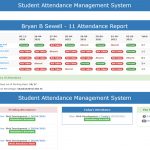
After student profiles are created, the admin can manage academic records. Semester records, subject results, marks, grades and GPA information can be added and viewed from the academic section. The system calculates GPA and updates the student’s academic summary. Attendance is handled through a bulk workflow. The admin selects a date and subject, and the system loads eligible students for that subject. The admin can mark all students present, absent, late or excused, adjust individual statuses and add remarks before saving the full attendance batch. The system blocks future attendance dates and duplicate attendance for the same subject and date.
Assignments are also managed at the subject level. The admin creates an assignment once under a subject. After that, the admin can bulk grade eligible students, enter scores, submitted dates and remarks. Students can view assigned work, pending status and published scores from their own dashboard. Students can log in to their own account to view their profile, academic progress, attendance, documents, assignments, notifications, analytics and reports. They can upload documents such as certificates, transcripts, resumes, ID proofs and achievement files. The admin can verify uploaded documents and monitor student activity.
Lastly, the system also generates reports in different formats. Admins can generate student profile reports, attendance reports, academic reports, analytics reports and activity reports. Students can also access their own reports depending on their permission level.
User Roles and Permissions
This student management system in django project includes two main roles. They are Admin and Student. This keeps the system as much as simple, focused and fully student-centric.
Admin Role
The admin controls the main system operations. Admin users can manage departments, courses, subjects, students, academic records, attendance, assignments, documents, announcements, reports and analytics. The admin can view all students, monitor risk students, generate reports and manage system-wide data. The admin also has access to activity logs and dashboard statistics. This helps the admin understand how students are using the system and which students may need academic attention.
Student Role
Here, students will have their own personal dashboard where they can view their own information. They can access their profile, academic summary, attendance percentage, assignment status, document records, notifications, analytics and reports. Students cannot manage other students or access admin-only records. Their access is limited to their own data, which keeps the system safer and easier to understand.
Major Features of the Student Management System in Django
Authentication and Account Management
This student management system in Django includes login, logout, password change and password reset support. Passwords are securely handled using Django’s built-in authentication system. The project also includes login history, login attempt tracking and session tracking so account activity can be reviewed when needed. Role-based access control is included to separate admin and student permissions. Admin pages are protected from student users, while students can only access their own records.
Department and Course Management
Departments and courses are managed as master data. The system admin can create, edit and manage departments separately. Courses are created under departments, which makes the academic structure more organized. This flow is more professional than typing department and course names manually inside every student form. It also improves search, filtering, analytics and report consistency.
Student Profile Management
The student profile module stores personal and academic information. It includes student ID generation, profile photo upload, contact details, guardian details, department, course, semester, year, skills, interests, tags and status indicators. The profile completion percentage helps students and admins identify incomplete records. The student profile page also shows academic summaries, document records and recent activities.
Academic Record Management
The academic module manages semester records, subject results, marks, grades, GPA and CGPA. The system calculates GPA based on subject results and updates the student’s academic summary. Admins can search academic records by student name, student ID, subject, department, course, semester, academic year, GPA, marks and grade. This makes the academic records section easier to use when the dataset grows.
Attendance Management
The attendance module supports subject-wise attendance tracking. Admins can mark attendance in bulk by selecting a date and subject. The system loads eligible students automatically, and the admin can mark students present, absent, late or excused. The system includes important validation rules. Future attendance dates are blocked, duplicate attendance for the same subject and date is blocked, and duplicate student attendance records are prevented at the model level.
Assignment Management
Assignments are created at the subject level. This means the admin creates one assignment for a subject instead of creating separate assignment records for every student. Eligible students can then be graded from one bulk grading screen. The assignment module supports max score validation, submitted dates, remarks, pending status and student-side score visibility. Future submitted dates are blocked, and scores cannot be greater than the maximum score.
Student Analytics
The analytics module provides GPA analytics, attendance analytics, engagement score, performance trends and risk-level indicators. Charts are used to make the dashboard easier to understand. Students can see their own analytics, while admins can view overall student analytics and risk students.
AI Prediction Module
The AI prediction module uses student-related factors such as attendance, GPA, assignment performance and activity level to estimate risk score and performance risk. The system gives a risk level and improvement suggestions. This feature is useful for demonstrating how machine learning ideas can be connected to a Django web application in an academic project.
Document Management
Students and admins can upload documents such as certificates, transcripts, resumes, ID proofs and achievement files. The system supports file categorization, download, preview for PDF files, document validation and version tracking. Also, the admins can verify student documents, which gives the document module a bit more realistic workflow.
Notification System
The notification system supports in-app notifications. Notifications can be created for events such as profile updates, attendance warnings, assignment scores, document verification and announcements. Django Channels is used for real-time notification support during development.
Activity Tracking
The system tracks important actions such as logins, profile updates, document uploads, attendance changes, report downloads and system activities. Admin users can view activity logs to understand what is happening inside the system.
Reporting and Export
The reporting module supports student profile reports, attendance reports, academic reports, analytics reports and activity reports. Reports can be exported as PDF, Excel or CSV depending on the selected format. This makes the student management system project useful for documentation, printing and academic review purposes.
Technologies Used
| Technology | Purpose | Tested version/note |
| Python | Main programming language | 3.12 |
| Django | Backend web framework | 5.x |
| Django REST Framework | API endpoints | 3.x |
| SQLite | Local testing database | Built-in development option |
| MySQL | Main recommended database | MySQL 8.x ready |
| TailwindCSS | Responsive user interface | CDN version |
| JavaScript | Dynamic UI interactions | ES6 |
| Chart.js | Dashboard charts and analytics | CDN version |
| Django Channels | WebSocket and realtime notifications | 4.x |
| Scikit-learn | Student performance prediction logic | 1.x |
| Pandas | Excel export support | 2.x |
| OpenPyXL | Excel file writing | 3.x |
| ReportLab | PDF report generation | 4.x |
| Pillow | Image upload handling | 10.x |
This student management system in Django uses technologies that are directly connected to the system’s features. Django handles the backend, templates, authentication and database models. Django REST Framework provides API endpoints. Tailwind CSS and JavaScript handle the dashboard interface. Chart.js is used for visual analytics. Django Channels supports realtime notifications, while Scikit-learn is used in the prediction module.
System Architecture and Module Structure
The project is organized around a Django application that contains the main student management logic. The architecture follows a simple dashboard-based structure where users log in and are redirected to role-specific pages. The authentication module handles login, logout, password management, login history and session tracking. The user and role module separates Admin and Student permissions. The department and course module stores academic master data, while the student profile module manages personal and academic student details.
The academic module handles semesters, subject results, grades and GPA calculation. The attendance module handles subject-wise bulk attendance. The assignment module handles subject-level assignments and bulk grading. The document module manages student document upload, preview, versioning and verification.
The analytics and AI module calculates student engagement, risk score and improvement suggestions. The notification module sends in-app messages and realtime updates. The reporting module exports data as PDF, Excel or CSV. The activity module records important system actions for auditing and monitoring.
Database Structure of Student Management System in Django
The database name recommended for the MySQL setup is:
student_management_systemThe project contains several main tables because it handles authentication, profiles, academic records, attendance, documents, assignments, notifications, reports and activity tracking. The exact physical table names may include the Django app prefix depending on migration output, such as sms_studentprofile, sms_subject, sms_attendancerecord and similar Django-generated names. The main relationship starts from the User model. A student user has one StudentProfile. A student profile is connected to attendance records, semester records, documents, assignment scores, badges, recommendations and AI prediction results. Subjects are linked to departments, and assignments are created under subjects. Attendance records and assignment scores are also linked to students and subjects.
System Requirements
Minimum Supported Requirements
| Requirement | Minimum |
| Python | 3.10 or higher |
| Django | 5.x |
| Database | SQLite for local testing |
| RAM | 4 GB |
| Browser | Google Chrome, Edge or Firefox |
| Operating System | Windows, Linux or macOS |
Recommended Requirements
| Requirement | Minimum |
| Python | 3.12 |
| Database | MySQL 8.x |
| RAM | 8 GB or higher |
| Browser | Modern web browser like Chrome |
| Server | Apache/Nginx with WSGI or ASGI support |
Personally Tested Environment
| Item | Tested with |
| Python | 3.12 |
| Django | 5.x |
| Development database | SQLite |
| Recommended database | MySQL-ready configuration |
| Browser | Modern Chromium-based browser |
| Operating System | Windows |
The project works with SQLite for quick testing, but MySQL is recommended when setting up the project as a more realistic academic database application.
Student Management System in Django Installation Guide
For official framework reference, you can also check the Django documentation at https://docs.djangoproject.com/. It is useful for understanding Django installation, project structure, authentication, models, templates and deployment practices used in Python web applications.
This installation guide is written for a local development setup. The project can be tested first with SQLite and later configured for MySQL.
Step 1: Download and Extract the Project
Download the ZIP file and extract it on your computer. The expected project folder name is:
student_management_system_djangoMake sure the extracted folder contains files such as:
manage.py
requirements.txt
.env.example
config/
sms/
templates/
static/
Step 2: Open the Project Folder
Open a terminal or command prompt inside the project folder:
cd student_management_system_djangoOn Windows, you can also open the folder in VS Code and use the built-in terminal.
Step 3: Create a Virtual Environment
Create a Python virtual environment:
python -m venv .venvActivate the virtual environment on Windows:
.venv\Scripts\activateFor macOS or Linux:
source .venv/bin/activateStep 4: Install Required Packages
Install all required packages from the project’s requirements.txt file:
pip install -r requirements.txtThis installs Django, Django REST Framework, Channels, Scikit-learn, Pandas, OpenPyXL, ReportLab and other required packages.
Step 5: Create the Environment File
Copy the example environment file:
copy .env.example .envFor macOS or Linux:
cp .env.example .envBy default, the project can run with SQLite when USE_MYSQL=False.
Step 6: Run Database Migrations
Run migrations to create the database tables:
python manage.py makemigrations
python manage.py migrate
For SQLite testing, this will create a local db.sqlite3 file.
Step 7: Seed Demo Data
Run the demo seed command:
python manage.py seed_demo_dataThis creates dummy departments, courses, subjects, students, assignments, attendance records, academic records, notifications and demo login accounts. The demo data uses fake names, fake phone numbers and dummy addresses only.
Step 8: Start the Development Server
Run the Django development server:
python manage.py runserverOpen the project in your browser:
http://127.0.0.1:8000/Step 9: Sign In
Use the demo admin login:
| Role | Username | Password |
| Admin | admin | Admin@12345 |
Use a demo student login:
| Role | Username | Password |
| Student | student1 | Student@12345 |
Optional MySQL Setup
If you want to use MySQL, create a database first:
CREATE DATABASE student_management_system CHARACTER SET utf8mb4 COLLATE utf8mb4_unicode_ci;Then update the .env file:
USE_MYSQL=True
MYSQL_DB=student_management_system
MYSQL_USER=root
MYSQL_PASSWORD=
MYSQL_HOST=127.0.0.1
MYSQL_PORT=3306
After updating .env, run migrations again:
python manage.py migrate
python manage.py seed_demo_data
How to Use the System
First, sign in as an admin. After login, open the Departments section and create the academic departments required by the system. Then open the Courses section and create courses under their correct departments. After creating departments and courses, add subjects and assign each subject to a department. This step is important because attendance and assignments use subjects to identify eligible students.
Next, add students from the Students section. While adding a student, select the department first. The course dropdown will load courses that belong to the selected department. Complete the student’s personal and academic details, then save the profile. To manage academic records, open the Academic Records section. Add semester records and subject results for students. The system calculates GPA based on marks and grade points.
To mark attendance, open the Attendance section and choose Bulk Attendance. Select the date and subject. The system will load eligible students automatically. Mark statuses, add remarks if needed and submit the attendance batch. To create assignments, open the Assignments section. Create an assignment under a subject, then continue to the bulk grading page. Mark students as submitted, enter scores, add submitted dates and save the grading records.
Furthermore, students can log in to view their profile, academic summary, attendance, assignments, documents, notifications, reports and analytics. Students can also upload documents from the document section. Admins can generate reports from the Report Center. Select the report type, format and student if required. Reports can be downloaded as PDF, Excel or CSV depending on the selected option.
Common Errors and Solutions
This usually happens when MySQL is enabled in .env, but the database name, username, password or host is incorrect. Check the .env file and confirm that the database exists.
Configuration file:
.envMake sure these values are correct:
USE_MYSQL=True
MYSQL_DB=student_management_system
MYSQL_USER=root
MYSQL_PASSWORD=
MYSQL_HOST=127.0.0.1
MYSQL_PORT=3306
If you only want to test the project quickly, set:
USE_MYSQL=FalseThen run migrations again using SQLite.
This error means the required packages are not installed in the active virtual environment. Activate the virtual environment and install dependencies again:
.venv\Scripts\activate
pip install -r requirements.txt
On macOS or Linux:
source .venv/bin/activate
pip install -r requirements.txtIf new models or fields were added, run:
python manage.py makemigrations
python manage.py migrate
If you are testing with dummy data and do not need old data, you can remove the local SQLite database and migrate again. Do this only in development, not on important data.
This happens when no active departments or courses exist. Open the admin dashboard and create departments first, then create courses under those departments.
You can also run:
python manage.py seed_demo_dataThis command creates dummy departments and courses automatically.
This usually means the old student record has a department or course value that does not exist in the new master data section. Create the correct department and course, then edit the student again and select valid dropdown values.
Running the seed command can also normalize demo data:
python manage.py seed_demo_dataThe system blocks duplicate attendance for the same subject and date. It also blocks future date attendance. If attendance was already submitted, choose another date or check the existing attendance records. This is intentional validation to prevent duplicate attendance records.
Assignment score validation checks whether the score is negative, greater than max score or linked to a future submitted date. Correct the score or date and submit again. Also make sure the student belongs to the same department as the selected subject.
The project uses a landscape PDF layout with wrapped table cells. If you customize report columns and add many more fields, reduce the number of columns or adjust the PDF table font size in the report generation logic.
The project uses Django Channels. For local testing, an in-memory channel layer is enough. For production deployment, use Redis as the channel layer and run the project with an ASGI server.
Security and Limitations
This project is created for educational and academic learning purposes. It includes useful security practices such as Django authentication, password hashing, CSRF protection, role-based access control, input validation and activity tracking. However, it should not be considered production-ready without additional review and hardening. Default demo credentials are included for testing. These credentials must be changed before any real deployment. The demo data uses fake names, fake phone numbers and dummy addresses, but real deployments must follow data privacy rules and backup policies.
The realtime notification setup uses an in-memory channel layer during development. Production use should configure Redis with Django Channels. File upload security should also be reviewed before deployment, especially if the system will handle real student documents. The AI prediction module is useful for demonstration, but prediction results should not be treated as official academic decisions. Real student performance evaluation requires proper institutional policy, verified data and human review.
Known limitations include the need for production-level hosting configuration, stronger audit review for sensitive records, advanced backup scheduling and deployment-specific HTTPS/security settings. Future versions can improve advanced report filters, user-level notification preferences, email notifications, Redis production setup and more detailed analytics.
Frequently Asked Questions
Yes, it can be used as a student-focused academic management project for schools, colleges or training centres. However, it does not include full ERP modules such as fee management, hostel, library, staff payroll or transport. Its scope is focused on student records, academics, attendance, documents, analytics and reports.
Yes. The system includes Admin and Student roles. Admin users manage system data, while students can view their own profile, academic details, attendance, documents, assignments, notifications and reports.
Yes. Departments and courses are managed from separate admin sections. Courses belong to departments, and students are assigned through dropdowns instead of free-text entry.
Yes. The admin can select a date and subject, load eligible students and submit attendance for all students in one batch. The system blocks duplicate attendance and future dates.
Yes. Assignments are created once under a subject. The admin can then bulk grade all eligible students for that assignment.
Yes. The system includes an AI-based prediction module that calculates student risk level using attendance, GPA, activity and assignment-related data. It also provides improvement suggestions.
MySQL is recommended for a more realistic setup, but SQLite is supported for quick local testing. The .env file controls whether the project uses MySQL or SQLite.
The project uses Django migrations to create the database structure. Demo data can be generated using:
python manage.py seed_demo_dataYes. Students can upload documents such as certificates, transcripts, resumes, ID proofs and achievement files. Admins can verify uploaded documents.
Yes. The system supports report exports in PDF, Excel and CSV formats.
No educational source-code project should be treated as production-ready without review. This project is suitable for learning, academic use and customization. Before using it with real student data, review security, privacy, backup, deployment and compliance requirements.
Download Student Management System in Django with Source Code
You can download the complete Student Management System in Django with Source Code using the download button below. The download package includes the full Django project files, student dashboard, admin dashboard, department and course management, academic records, bulk attendance module, subject-level assignment system, document management, reports, analytics, notifications and the AI-based student performance prediction module.
Before installing the project, make sure to check the System Requirements and Installation Guide provided above. The project is supplied as a ZIP file and can be tested locally using Python, Django and SQLite. For a more practical database setup, the project is also ready to be configured with MySQL.
This Django student management project is suitable for programming practice, academic learning, college project demonstrations and developers who want to understand how a dashboard-based student information system works. It is not just a basic student CRUD application, because it includes role-based access, controlled department and course records, GPA tracking, attendance validation, assignment grading, report exports and student performance insights.
Note: This project is provided for educational, learning and development purposes. Review the source code, default credentials, file upload settings, database configuration and security settings carefully before using it with real student or institutional data.
Looking for more Django projects?
Browse more Django projects with source code for programming practice, academic practice, web development learning and full-stack project ideas.



Amazing project! The coupon and promo code module implementation is particularly interesting — tracking usage limits per user is something that real-world ecommerce and deals platforms deal with constantly.
I work on a coupon aggregator platform called SnatchSavings (snatchsavings.com) and managing code validity, usage tracking and verification at scale is genuinely one of the most challenging backend problems. The approach you have used with Django REST Framework and MySQL is clean and well structured.
The AI prediction module is a great addition too — combining attendance and academic performance data for risk analysis is exactly the kind of feature that separates a basic CRUD project from something genuinely useful.
Will definitely be referencing this for some internal tooling ideas. Keep up the great work!